Smart Reorder Advisor
What to reorder, how much — and why.
An Odoo app that works out reorder levels from real sales history instead of numbers someone typed in once and forgot. It advises; people decide — nothing is bought without approval. Available as an Odoo app and as a Chrome extension.
| Part | On hand | Min | Suggest | Urgency | ABC | Trend | Confidence |
|---|---|---|---|---|---|---|---|
| Hydraulic pump | 2 | 6 | 10 | Critical | A | ▲ | |
| Oil filter | 14 | 30 | 40 | Urgent | A | ▲ | |
| Brake master cylinder | 1 | 3 | 4 | Urgent | B | → | |
| Alternator 24V | 3 | 4 | 3 | Normal | B | → | |
| Water pump | 0 | 2 | 3 | Critical | C | ▼ | |
| Starter motor | 7 | 2 | — | OK | C | → |
Standard reordering rules need a fixed Min and Max typed in for every part, in every warehouse. With thousands of spare parts and irregular demand, those numbers go stale within weeks — so you either run out or overstock.
Smart Reorder Advisor calculates the levels for you from what actually sells, explains every suggestion, and sends only the parts that matter to a purchase request for approval.
From sales history to a reorder plan.
Four steps, every week, for every part — without anyone setting a number by hand.
Reads sales history
3–12 months of real sales, month by month. One-off bulk orders are filtered out so a single big sale does not inflate the forecast.
Checks the stock position
On hand + incoming purchases − reserved stock, per warehouse.
Sets Min & Max
From average demand, supplier lead time, a safety buffer and how often you order — no manual numbers per part.
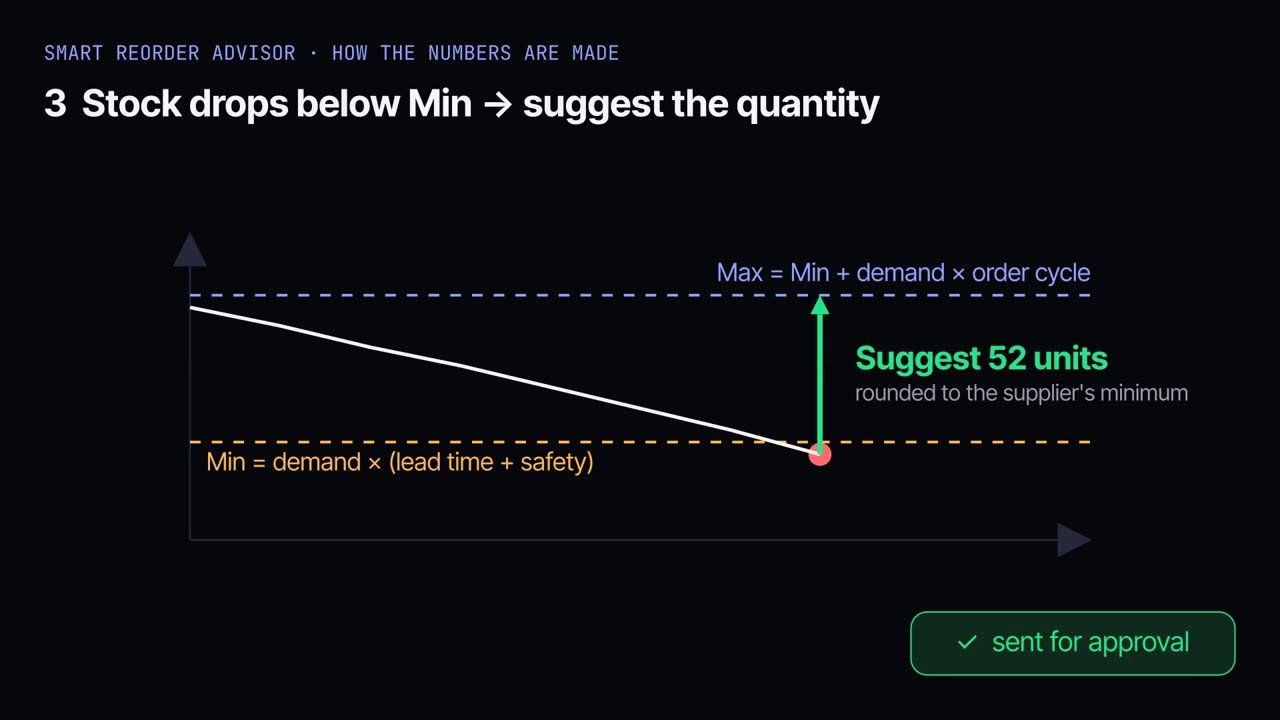
Suggests the quantity
Enough to reach Max, rounded to the supplier's minimum order — with a reason for every line.
Average monthly demand × (lead time + safety buffer)Min level + average monthly demand × order cycleMax level − net available, rounded to supplier minimumNot just a number — a reason.
Each line carries the signals a buyer needs to trust it, or to question it.
Minutes a week, not hours.
The app does the thinking. The team reviews, the owner approves, Odoo handles the rest.
The analysis runs automatically.
Saved lists show only important parts and ones to check.
Skip a part with a reason, or add it to a Purchase Request — one per vendor and branch, duplicates skipped.
The owner or manager approves the request.
RFQ → purchase order → receipt → bill, in standard Odoo.
Owners
Approve a short, clear list instead of checking stock part by part — and see where the money goes.
Inventory & purchasing
A ready plan every Monday, sorted by urgency, with quantities that respect supplier minimums.
The business
Fewer stock-outs on fast movers and less cash stuck in parts that don't sell.
Stop guessing what to reorder.
I'll show you the Advisor on a live Odoo and tune lead times, safety buffers and approval steps to how your business buys.