Odoo answers on one screen.
“The data is in Odoo — but finding it takes forever.”
Your Odoo already holds the answers — they're just spread across Sales, Inventory, Purchase and Accounting. I build tools that bring each answer to one screen, then add AI on top, for whichever Odoo version you run.
Today the answer is spread over four Odoo menus and many filters.
Where time is leaking today.
If any of these happen in your business every week, this service is built for you.
Answering one question means opening four menus and rebuilding the same filters.
Reports get exported to Excel and cleaned by hand every week.
Reorder levels were typed in once and never updated.
Owners wait for someone else to pull the numbers.
- One-screen owner views
- Chrome extensions for Odoo
- Custom modules and automated actions
- Smart reordering and purchase approvals
- AI assistants on your Odoo data
From first call to working system.
Small steps you can see and test — you decide at every stage.
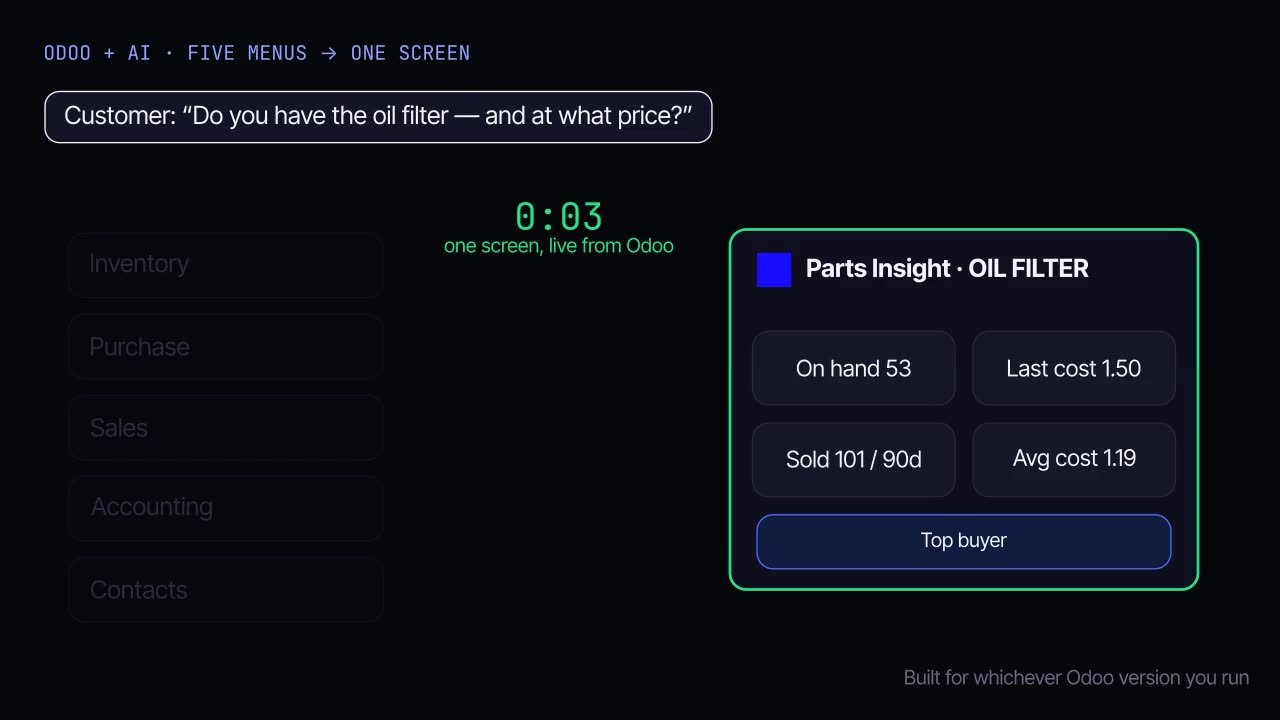
Find the daily questions
We list the questions owners and staff ask every day — and how long each takes in Odoo today.
Design the one screen
Each question gets a view that shows the answer, the reason and the next action.
Build on your Odoo
A Chrome extension, a custom module or both — reading through the Odoo API with your existing permissions.
Add AI where it helps
Plain-English search, smart suggestions and automated follow-ups on top of the same data.
What it can do for you.
Common starting points — every build is shaped around how your business actually runs.
Parts & stock lookup
Stock, location, cost and sales history for any product in one side panel.
Receivables & payables
Who to chase and who to pay, with ageing and priorities across currencies.
Smart reordering
Reorder levels calculated from real sales, with a purchase approval step.
Landed cost checks
Catch missing or late landed costs before they distort margins.
Owner dashboards
Today's sales, overdue invoices, low stock and deliveries at a glance.
Automated actions
Reminders, approvals and record updates that run on their own.
Built for real businesses.
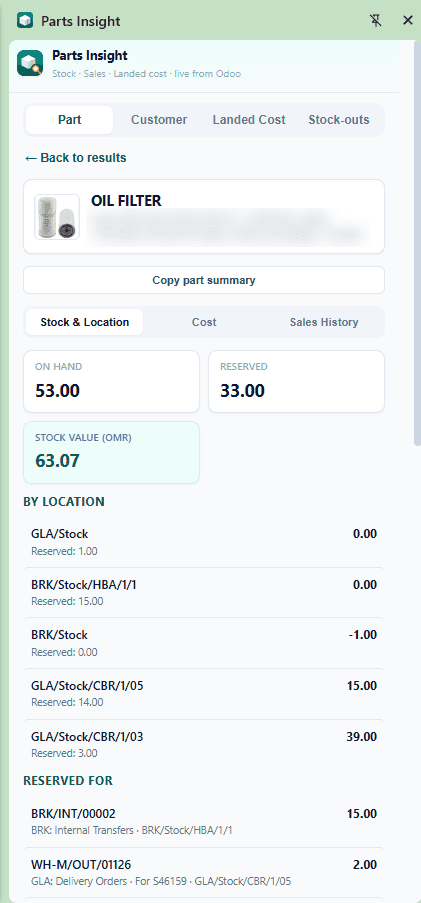
Parts Insight
Stock, cost, sales history, customers, landed cost and stock-outs for any part — in one side panel.
View details→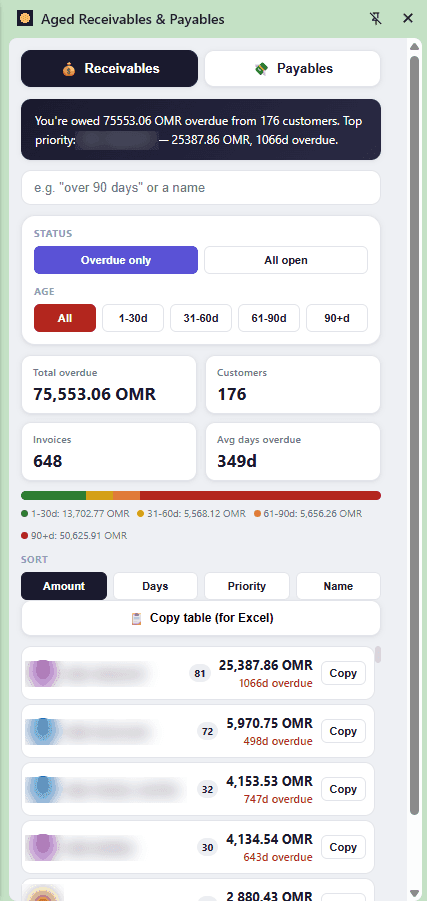
Aged Receivables & Payables
Who to chase and who to pay, with ageing, priorities and multi-currency — on one screen.
View details→| Part | On hand | Min | Suggest | Urgency | ABC | Trend | Confidence |
|---|---|---|---|---|---|---|---|
| Hydraulic pump | 2 | 6 | 10 | Critical | A | ▲ | |
| Oil filter | 14 | 30 | 40 | Urgent | A | ▲ | |
| Brake master cylinder | 1 | 3 | 4 | Urgent | B | → | |
| Alternator 24V | 3 | 4 | 3 | Normal | B | → | |
| Water pump | 0 | 2 | 3 | Critical | C | ▼ | |
| Starter motor | 7 | 2 | — | OK | C | → |
Smart Reorder Advisor
What to reorder, how much and why — calculated from real sales history, approved by people.
View details→The stack behind it.
Proven tools, chosen for the job — documented so your team can own the result.
Good questions, straight answers.
Something else on your mind? Ask it on the contact page.
Yes — tools are built and tested against the version you run, so you don't need to upgrade first.
Extensions are fastest and need no server access. Modules are better when logic must run inside Odoo. Many projects use both.
Tools use your existing Odoo user permissions, so people only see what Odoo already allows them to see.
What do you check in Odoo every day?
Tell me the questions that take your team the longest. I'll show you what they look like on one screen.
Other services
All services→Our team spends hours on the same tasks.Explore→03Business Web Apps
We need a site that actually brings in customers.Explore→04Python Backends & RAG
Our knowledge is stuck in documents and people’s heads.Explore→05MCP Servers & Integrations
Our AI tools can’t touch our real systems.Explore→